Product Update: February 2026
Executive dashboard, installed equipment data, and email sending configurations—more clarity, control, and precision for your campaigns.
Another week, another product update 🚀
We have been moving fast, and this release is all about clarity, control, and precision—giving you better visibility into performance and more leverage in how you engage customers.
Here's what's new on the platform!
📊 Executive Dashboard
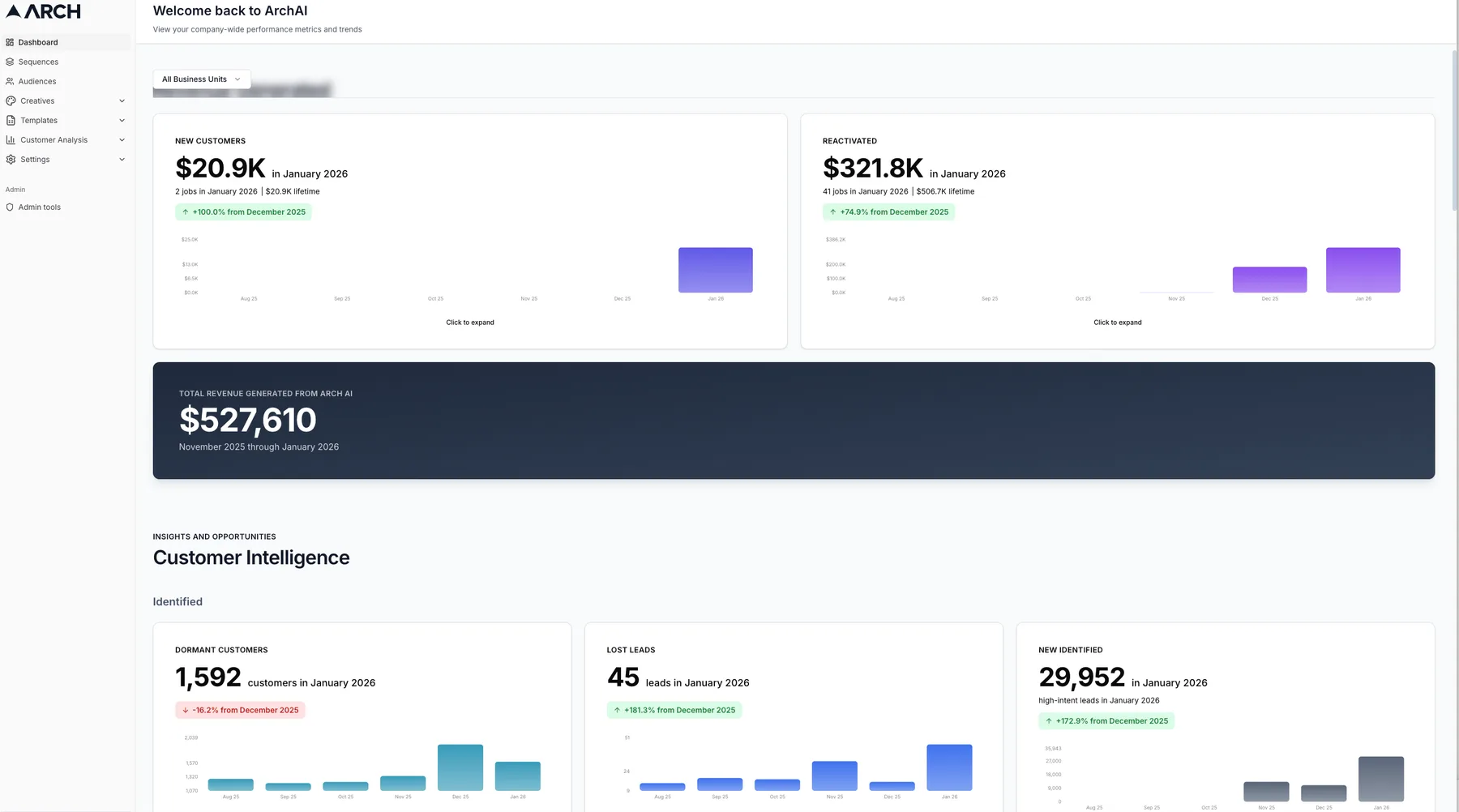
Your Arch homepage is now an executive-ready performance dashboard.
Instead of landing on individual workflows, you're greeted with a high-level view of how Arch is driving results across your business—designed for executive visibility.
What you'll see
- Revenue and matchbacks across campaigns and sequences
- Clear customer insights, business health metrics and sequence performance
- Overview of revenue trends, revenue composition, and memberships
Why this matters
- Faster answers to "what's working and what's not"
- Easier internal and executive reporting
- More confidence in where to double down—and where to pull back
This dashboard is built to track value and ROI, not just display activity. We would love your feedback as we continue to work on more visibility features.
View the Executive Dashboard →
🔧 Installed Equipment Data
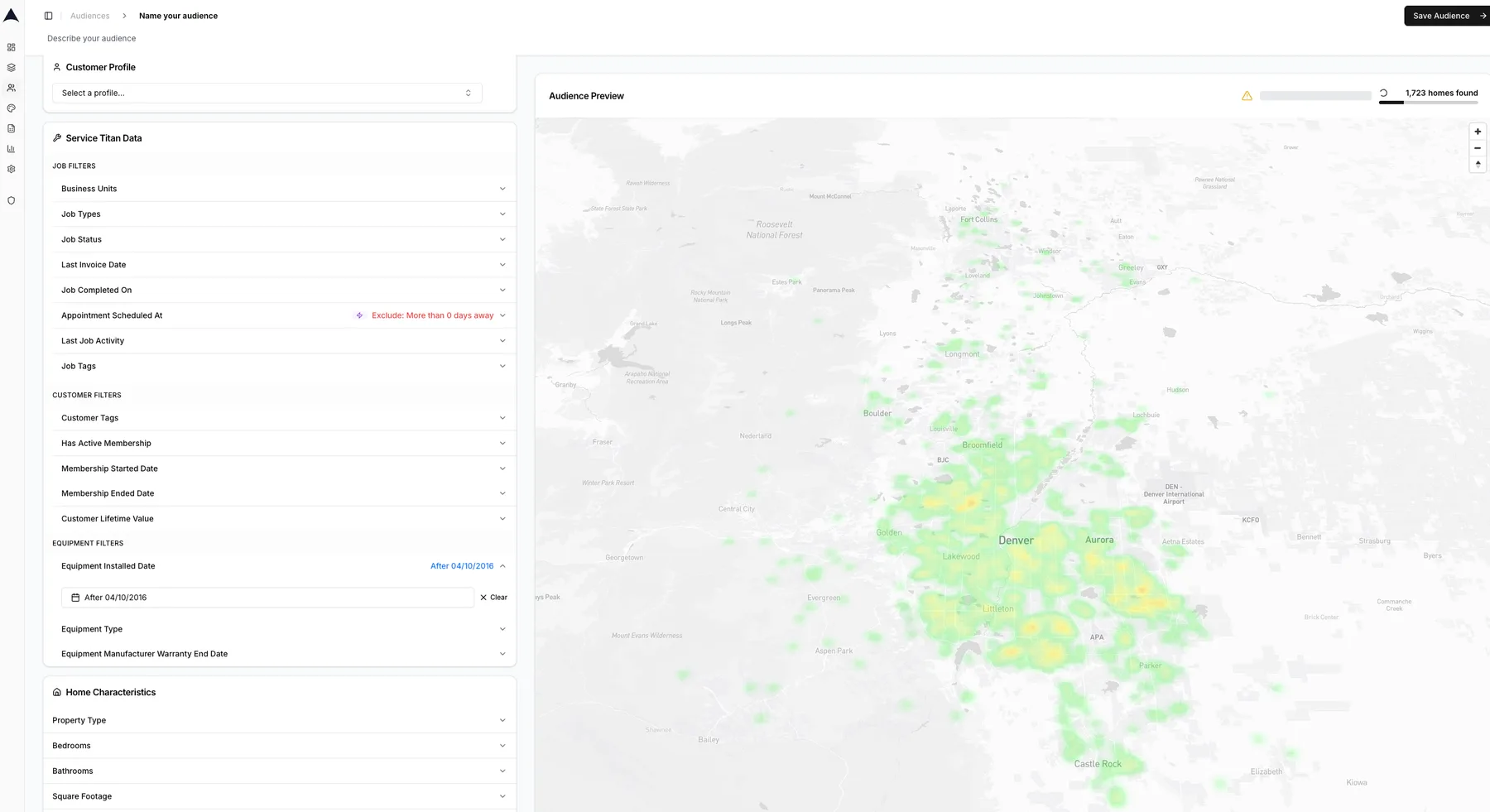
Reach high-value customers based on what's actually in their home, with high signal data.
Arch can now leverage installed equipment data to:
- Identify aging systems
- Trigger timely maintenance reminders
- Promote replacement or upgrade offers at the right moment
Why this matters
Instead of broad, seasonal blasts, you can now run lifecycle-driven campaigns that align with real homeowner needs—improving relevance, response rates, and conversion.
You can find it under Audiences → + New Audience → ServiceTitan Data
Create an Equipment-Based Audience →
✉️ Email Sending Configurations
More control. Better timing. Higher engagement.
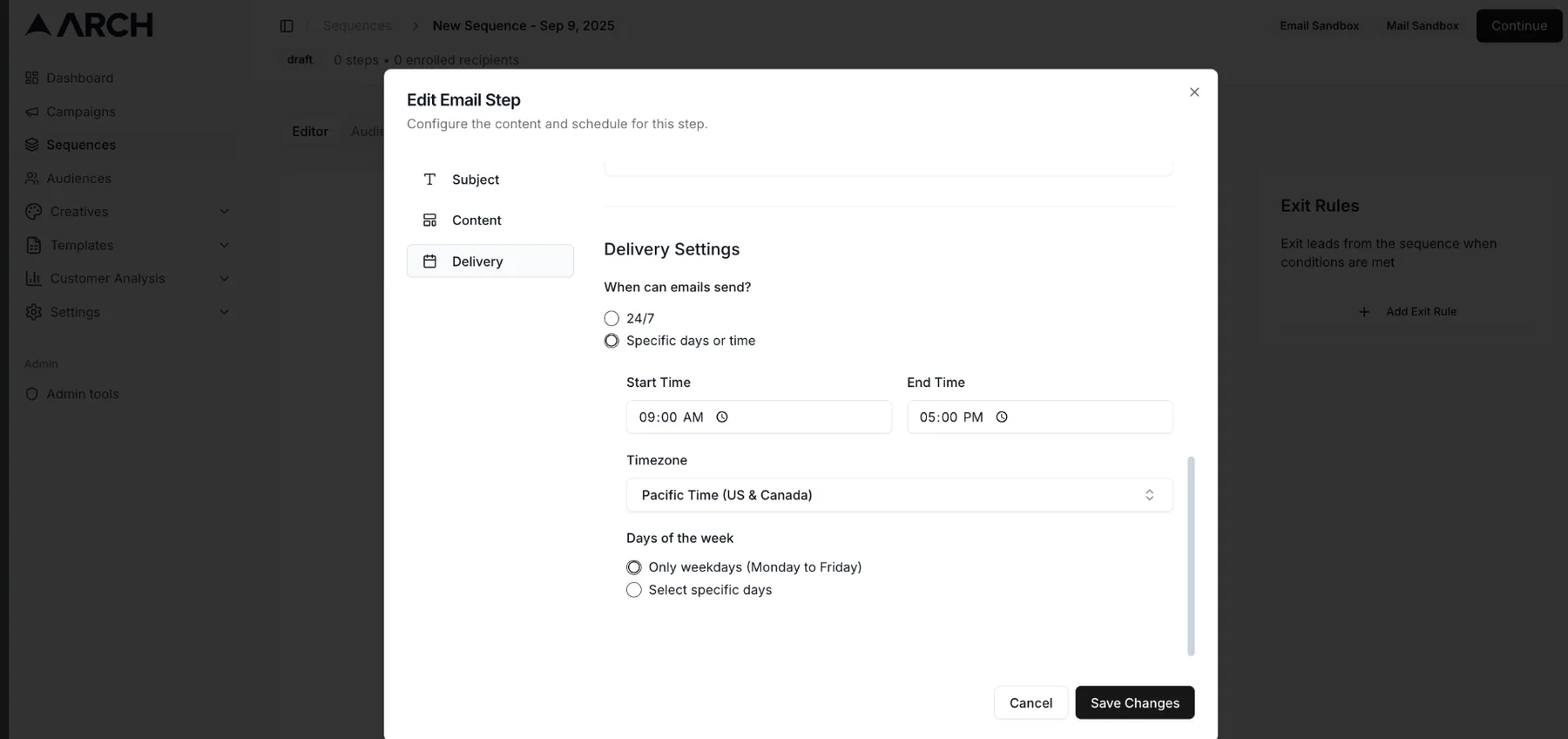
You can now:
- Set custom pre-headers to improve open rates
- Schedule sends based on when customers are most likely to engage
Why this matters
Small delivery details compound. Better timing and clearer context at the inbox level typically lead to higher engagement and stronger downstream performance—without changing your core message.
You can find it under Sequences → Edit Step (on email creative)
As always, thank you for the feedback that continues to shape Arch. More signal, more automation, and fewer manual decisions—that's where we're headed.
Best,
The Arch Team